CONTENTS

01. OVERVIEW

The purpose of this business object is to display the Entries by Accounting Item report.


For this report to work, follow the documentation below to configure the Smart View in your environment: Smart View - Configuration of the Protheus product integrated with View.


This feature is on a test phase with pilot customers, being officially introduced in Release 12.1.2310.

This page and the feature may undergo changes until or after the date of feature release.

02. EXAMPLE


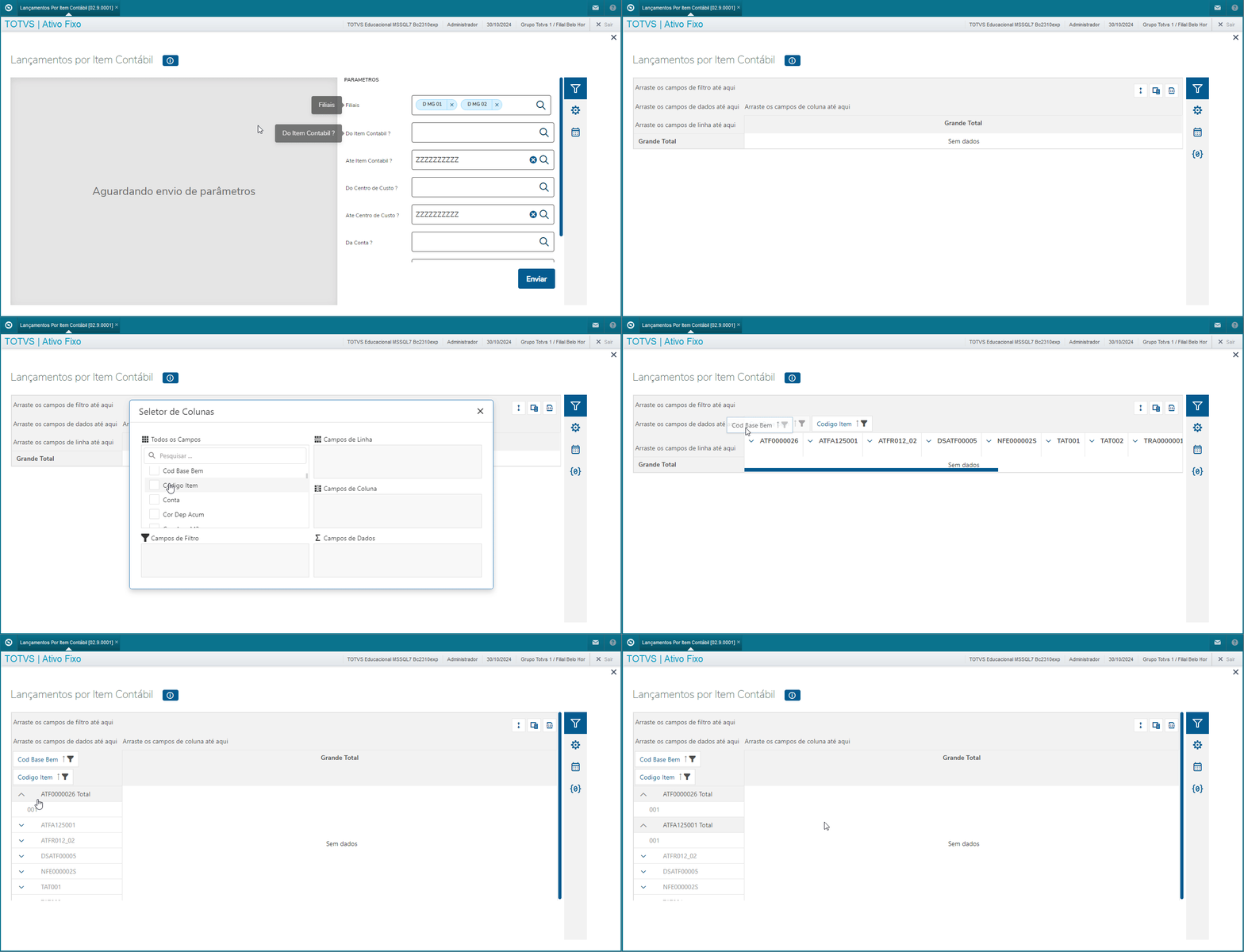
Report:


Data View:


Dynamic Table:


We must highlight that it is up to the customer to optimally organize the dynamic table in accordance with their needs and the rules defined, as per the fields available in the schema and parameter settings.


Parameters:

Parameters

Description

Effective in the business object

MV_PAR01

From Accounting Item?           

Yes

MV_PAR02

To Accounting Item?                      

Yes

MV_PAR03

From Cost Center?                     

Yes

MV_PAR04

To Cost Center?                    

Yes

MV_PAR05

From Account?                    

Yes

MV_PAR06

To Account?                   

Yes

MV_PAR07

Which Currency?                  

Yes

MV_PAR08

Select Asset Classification?   

No

MV_PAR09

Display Realized Assets Provis ?  

Yes

MV_PAR10

Select Branches?           

No

Parameters marked as No in the list above are hidden in the report or design of Smart View. These parameters affect neither the report nor its objects (Data View, Design and Dynamic Table).

04. ACCESS TO THE OBJECT VIA PROTHEUS MENU

The business object Accounting Item Entries can be executed via the Protheus menu using the program ATFSV024.

05. TABLES